Wednesday, June 1, 2011

Avro Keyboard Portable Edition 5.1.0 with Bangla Spell Checker


Avro Keyboard Portable Edition is the first ever Bangla software with portability. It has all the necessary features of Avro Keyboard, but the only difference is, unlike the standard edition, it doesn't need any installation, any font, any administrator access to the computer. Users can take it in there removable media USB flash drives or iPods and run anywhere. like

At a glance:

  • - No Installation Needed
  • - No Administrator Access Needed
  • - No Bangla Fonts Needed, portable edition has built in Automatic Virtual Font Installer
  • - Carry it in any media (like USB drives), use directly, use anywhere
  • - All your settings/personalization remain intact
  • - Has all the features of Avro Keyboard Standard Edition
  • Download from below.
  • Extract files.
  • Carry the extracted files & folders together anywhere you need and directly run Avro Keyboard.
 Download from Filesonic:

 http://www.mediafire.com/?ucfhofyz5a71azd

Sunday, May 29, 2011

USB Safely Remove v.4.5.2.1111

USB Safely Remove is a utility for effortless and speedy disconnection of any removable devices. Not only does it save time, but it ensures that all data remains on a device when it is unplugged. Safely Remove is a system utility designed for quick and safely stopping USB Flash Drives connected to your computer. With this utility you can safely stop and remove USB Flash Drives much faster then using "Safely remove hardware"" icon in the system tray.

Here are some key features of "USB Safely Remove":
· Safely remove in one click!
· Displaying processes which are preventing USB device from being stopped
· Powerful command line support
· 3 methods to stop devices.
· Automatically assigning hotkeys.
· Forbidding stopping any device.
· Customizable names and descriptions for devices.
· Notifications about connecting/disconnecting devices with the help of a balloon tooltip.
· Playing sounds or running external programs when devices are connecteddisconnected.
· Restricting access to the features of the program with a password.
· Loading custom images for devices
· Ability to operate SATA drives

A handy menu to stop devices
The main disadvantage of using the built-in Windows safe removal tool is that when using several hot-plug devices it is often quite difficult to recognize which device needs to be stopped. Most devices have the same name: "USB mass storage device". In addition, Windows does not let you hide a device you would not want to stop from the menu.

The device cannot be stopped right now. Why?
Ever encountered the situation when Windows does not allow you to remove a device? Unlike Windows, USB Safely Remove will show you the programs which prevent the device from being stopped and let you close these programs or just the files they opened on the device.

Keyboard shortcuts to safe removal
Like to do everything using the keyboard? Now you can stop and view devices with only ONE hotkey! No need to remember keyboard shortcuts for each device. Being in any application, press the key combination (Win+S by default) and you will see the stop menu. Use the Up\Down Arrow keys to select the device you need and either press Enter to stop it or Ctrl B to view the contents of a device disk. Also you can assign a dedicated hotkey to stop a certain device.

Program autorun on device connection\disconnection
Another USB Safely Remove feature that distinguishes it from similar software is starting any applications not only after connecting a device, but also before removing it. The autorun feature allows you to set up data backup before disconnecting a removable hard drive, to run Total Commander with the contents of the pen-drive, automatically unmount an encrypted TrueCrypt drive before disconnecting the USB media, etc.

Command line to safe removal
USB Safely Remove has a powerful and convenient command line: usr.exe. It allows you to automate work with devices. For example, you can automatically stop devices according to schedule or in case of any other event. In addition the command line tool of "USB Safely Remove" allows to "return device back".

Working with any hot-plug devices - USB, SATA, FireWire, PCMCIA
Another important difference between the program and the standard Safely Remove Hardware icon is the possibility to see and stop any kinds of hotplug devices. If USB Safely Remove does not display the device you need, try enabling the "Display all storage devices" checkbox in the program options.

Stopping via "disabling"
Some kinds of external devices (e.g. SATA drives from Silicon Image), are true hot-plug devices. However, their drivers do not support the "safe removal" function. Such devices are not displayed in the native safe removal tool and can be stopped only via disabling in the Device Manager. It is a tiresome way, because it requires many actions to do, moreover you must enable the device manually after you connect it next time.

Not only does USB Safely Remove allow you to stop such devices, it also detects automatically what devices must be "safely removed" and which devices must be "disabled." Also, the program enables the "disabled" device automatically on its next connection, thus it makes working with the device absolutely the same as with a usual device.

Ejecting memory cards rather than the card reader
If you had safely removed a card reader, you would need to physically reconnect it in order to make it work with cards again (or to use "Return device back" feature of the program). In the case of two or more memory cards connected to the card reader at the same time, they all become unavailable in the system after you stop the card reader. USB Safely Remove lets you eject memory cards one-by-one. Moreover, if the memory card was locked by any processes, the program would display these "locking" processes as well as it does on failure to stop a whole device.

Hiding drives of empty card reader slots
Do you have a card reader with several slots? If you said "yes", you would likely use only one memory card at a time, however your card reader creates up to four drives in your system. It may be annoying because you are required to spend more time finding the memory card drive among other "empty" card reader drives.

Return Device Back!
After you had stopped the device, but still did not unplug it, sometimes it is quite useful to return it back into the system. For example if you remembered that you forgot to write a file to the external drive. In order to do it, you have to physically reconnect the device, however sometimes it's quite inconvenient to do, e.g. if the device is connected to the rear panel of the computer.

The version contains some minor bug-fixes and improvements, besides it contains one important thing: the ability to power off devices on stopping in Vista and Windows 7.

A bit more story on this feature. When you safely remove the device in Windows XP it powers the device off – in case off a flash drive its led was switched off and in case of a portable hard drive it was spun down. But Microsoft changed this behavior in Vista and it still exists in Win 7: after you stop the device on these OSes the hard drive continue spinning and flash drive continue lighting. All modern hard drives park their heads automatically when you unplug them so in theory this behavior shouldn’t lead to data losses or drive damages. But in practice external hard drive usually sounds strangely when you unplug it on run and this makes a hard drive owner being a bit nervous when he hears that. We have got lots of feedback requests on this feature therefore we added it to the new version.

In order to enable device power off feature you need to go to the program options and set the "Power off the device after device stopping" option

After you do this just restart the computer and starting from this moment, leds on pen drives will be switched off and external hard drives will be spun down on stopping.


                http://www.filesonic.com/file/181315951

                http://www.easy-share.com/1914156224


Enjoy..............

Thursday, May 26, 2011

Skype 5.3.0.113 Final Multilingual


We all love something for nothing. With Skype’s software – by the way, it works seamlessly with your internet connection – you can chat away with free Skype-to-Skype calls and never worry about cost, time or distance. Share the love and get your friends to download Skype so you can talk, chat or make video calls for nothing. You can also make local, long distance and international calls to phones and mobiles at great rates too. Better than a phone? Yep, you betcha! Skype isn’t just about free Skype-to-Skype calls and nice, cheap local, national and international calls to phones and mobiles. You can also do much, much more.

Features:
· Make free calls to anyone else on Skype, anywhere in the world
· See who you are talking to with free video calls
· Chat with up to 100 people in group chats
· Conference call with up to four people for free
· Call ordinary phones with SkypeOut
· Superior sound quality
· Works with all firewall, NAT and routers – nothing to configure!
· Friends list shows you when your Skype friends are online and ready to talk or chat
· Super-simple and easy to use
· Your calls are encrypted “end-to-end” in order to safeguard your privacy
· Based on cutting edge peer-to-peer technology developed by the creators of Kazaa and Joltid

Getting started is simple
There are many ways Skype can help you connect.

Finding people
Adding friends and family to your contact list is simple – search, select, add.

Free video calls
See who you’re talking to for free. And check out our new

Making a call is easy
Simply select the Call Phones tab, enter a number and hit the green button.

Great call quality
Get superior sound quality with a headset. Many models to choose from.

Download from Filesonic:

Adobe Creative Suite 5 (CS5) Master Collection

Saturday, May 14, 2011

ooVoo v3.0.4.37 Portable

ooVoo has many great features — from video calls with up to six people at once to video messaging to chat and file transfer capabilities. See below for some of our highlighted features and be sure to check back on this page often to see what's new.

Start a face-to-face conversation and include up to six people.


Twice the video clarity and four times the video window size of ooVoo Standard Resolution!


Create instant memories by recording your ooVoo video calls.


Tired of typing emails? Give your fingers a break and send a video message to one friend or a group.


Do you want to grow a virtual mustache or become a Superman – all while on a video call? Now you can.


Have a face-to-face ooVoo conversation with anyone (even those friends that don't have ooVoo yet) through a Web browser.


Calls from ooVoo to a landline or mobile phone in the USA* or Canada.


Text chat with up to six friends at a time!


With ooVoo it’s easy to share files with your friends!


Import contacts from the most popular email programs: Office Outlook, Gmail, MSN Hotmail, Yahoo mail, AOLmail and more.


Enable sidebar view to clearly view documents or other tasks on your screen.


Build your blog or MySpace page to life with an ooVoo link.


ooVoo is an exciting and fun new way to communicate and we want every one of your ooVoo experiences to be safe and secure.


System Requirements:

    Pentium 4 1Ghz with 256MB of RAM
    20MB Hard disk space
    Webcam and Headset
    Broadband connection (Cable, DSL etc..)
    Microsoft Windows 2000, XP, Vista or WIN 7

Size: 15.4 MB

Download form MediaFire :- 

Download from Filesonic :-

Download fron Rapidshare :-
https://rapidshare.com/files/1728868914/ooVoo_v3.0.4.37.zip

Tuesday, May 3, 2011

Bhanu Bandyopadhyay Bengali Comedy


1:) Bhanu Bandyopadhyay Comedy - Bhanu elo Kolkatay - sandyhelpyou.blogspot.com
      Link :- http://www.mediafire.com/?8h7lsbfuwhwmdxi


2:) Bhanu Bandyopadhyay Comedy - Korta bonam Ginni - sandyhelpyou.blogspot.com
      Link :- http://www.mediafire.com/?we58rsoushlb14q
 

3:) Bhanu Bandyopadhyay Comedy - Mongol Grohe Bhanu - sandyhelpyou.blogspot.com
      Link :- http://www.mediafire.com/?7ippewsu63me8e2 

  
4:) Bhanu Bandyopadhyay Comedy - Naba Ramayan - sandyhelpyou.blogspot.com
Link :- http://www.mediafire.com/?33i3y407g0do627


5:) Bhanu Bandyopadhyay Comedy - Nayika Sandhane - sandyhelpyou.blogspot.com
      Link :- http://www.mediafire.com/?4q07d0hqvy2a08h
 

6:) Bhanu Bandyopadhyay Comedy - Paribar Parikalpana - sandyhelpyou.blogspot.com
      Link :- http://www.mediafire.com/?zsushs1kcvvwdrv
 

7:) Bhanu Bandyopadhyay Comedy - Telefone Bibhrat - sandyhelpyou.blogspot.com
     Link :- http://www.mediafire.com/?9biubf4ng4sxth4

Saturday, April 30, 2011

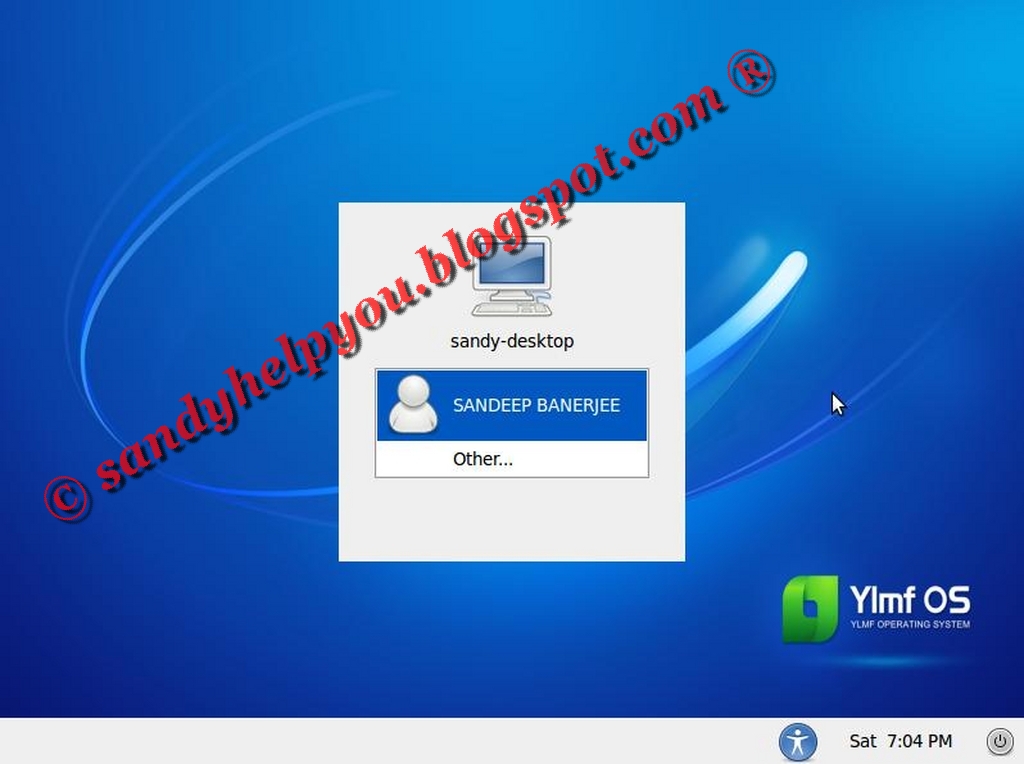
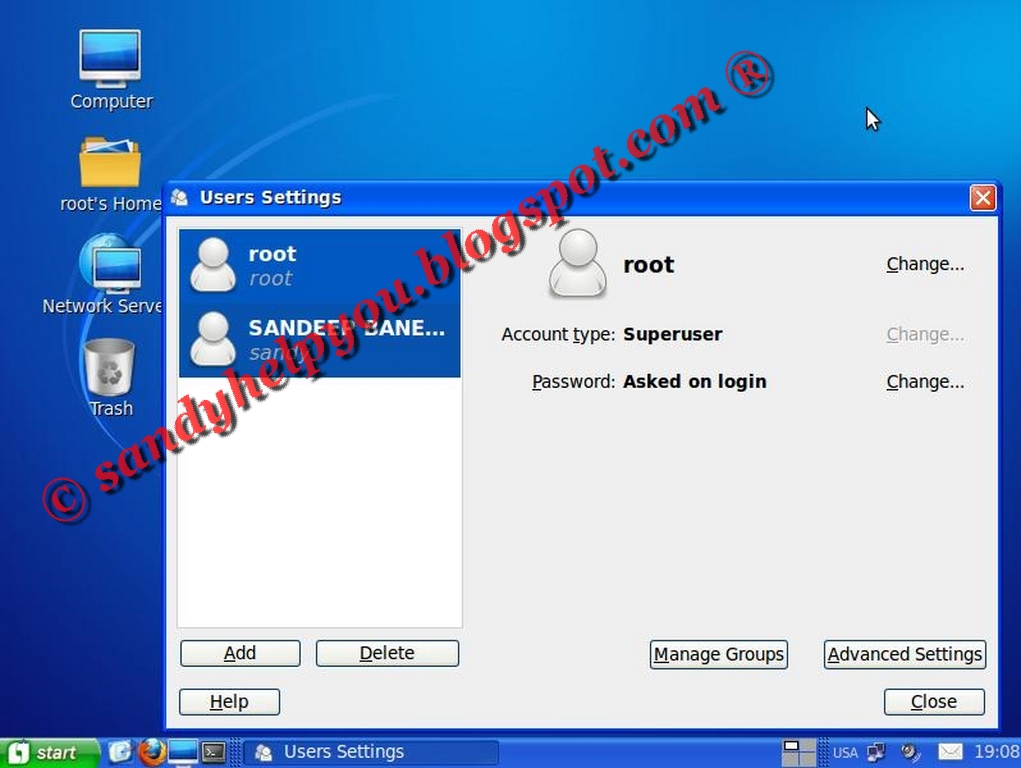
Ylmf OS -- Linux Looks like Windows XP

Ylmf OS is a free, fast, safe and stable Linux operating system with a strong expandability.

A practical system following the use habit of Windows.

An ideal choice for your study, work, net-surfing and entertainment.


Here is Some Screen shot of  Ylmf OS


Ylmf OS Download Link :- http://www.ylmf.org/en/download.html

Friday, April 29, 2011

14 Essential programs for PEN-DRIVE & Data Recovery


USB flash drives have long been inseparable companions practically every PC user. They are very comfortable, besides the prices of these devices are constantly falling.
However, completely safe, things do not happen: just as in the case with other drives, flash drives are sometimes begin to "fail": the files are lost, there are problems when copying or deleting files, it becomes impossible to implement formatting. But do not rush to throw out the flash drive - it is quite possible it can still be brought back to life!

These programs should be on every computer!

- CheckUDisk 5.09
- EzRecover
- FLASH DOCTOR RUSSIAN v1.0.2
- Flash Memory Toolkit 1.20 PRO
- F-Recovery for CompactFlash 2.1
- F-Recovery for SD
- GetDataBack 3.66
- HDD Low Level Format Tool 2.36 build 1181
- HP USB Disk Storage Format Tool 2.1.8
- LLFsetup.2.36.1181
- R-Studio 4.6.127.542 (Demo)
- SIV 3.35
- RecoverMyFiles.3.98.5837.RUS
- UsbIDCheck (USB Bench - Faraday USB Test Utility)

Download from LetitBit :-

Download from VIP-FILE :- 

TOP PRIORITY DOWNLOAD AS SOON AS POSSIBLE........ENJOY....

Tuesday, April 26, 2011

G-Data AntiVirus 2012

G DATA AntiVirus 2012 - is a modern antivirus solution providing protection for enterprises in real time from most common to date security threat - viruses. Two anti-virus core in a single product, unparalleled manageability, free update virus databases and support group GData. When used to protect the perimeter of a corporate network solution GData protects companies from various types of malicious code and potentially dangerous executable files before their actual entry into the network.
Generation of security products G Data features new features that will impress users. Already become accustomed excellent detection of viruses and extremely fast response to new threats Featured Products G Data, a leader in quality, the products of other companies. In the 2012 generation products are integrated proactive detection techniques, such as: behavioral control, and "cloud" technology, which quickly protect your PC from unknown viruses and do not leave the online criminals a chance.
New generation products from G Data easy to manage for both novice and pro. The new «one click» interface immediately displays all the important settings, such as: the current status of safety or security settings you made, and it differs a well thought out navigation concept. G Data provides the best protection without sacrificing performance PCs. Increased scanning speed and an even smaller memory requirements due to a self-learning technology "file fingerprint technology and the" white list ". Advanced proactive detection of unknown viruses through optimized behavioral control and a significant reduction in the amount of data when you install and update software through the modified "cloud" technologies. G Data AntiVirus product sets a new scale-up security to protect against viruses, spyware and phishing.

Opportunities antivirus G Data AntiVirus:
• Anti-Virus (AntiVirus)
• Protection against rootkits (AntiRookit)
• Anti-Spyware (AntiSpyware)
• Protection against phishing (AntiPhising)
• Rapid detection of viruses
• Optimal response to new viruses
• Unique methods of detection of yet unknown viruses (heuristic analysis, "the cloud" security, behavioral blocking)
• Easy and fun to use interface

Key features G Data AntiVirus:
• Set custom intervals or exact time of scanning.
• Protects all communication channels: e-mail (POP3/IMAP), messaging clients (MSN, Yahoo, AOL, ICQ), etc.
• Blocks malicious software in applications: Outlook, Outlook Express, Mozilla, Eudora, etc.
• Scanning archived and compressed files.
• dual-scan technology.
• The system to intercept viruses on the fly. "
• Built-in RootkitScanner to search and neutralization of rootkits.
• Automatic scanning of HTTP-traffic.
• Application Integrity Control and Registry.
• Functions: «Fingerprinting» for quick interception of viruses, «ParallelScan» - optimization of a processor DualCore and QuadCore.
• Automatic security and speed.
• Automatically remove all the installed antivirus software during installation.

 
Download as soon as possible .....Enjoy.....................

Saturday, April 16, 2011

Increase Your Internet Connection By As Much As 500%


These days we pay a lot to our internet service providers (ISPs); so why shouldn't we get our money's worth? Amplify will squeeze out as much speed as possible. You will be surprised why your ISP never told you about this. Increase your internet connection by as much as 500%.

Amplify accomplishes this dramatic change through optimizing certain Windows settings that bottleneck your connection. These registry settings have never been set to the optimized level, and lack in their potential. Amplify modifies such settings as:


  • MTU (Maximum Transmission Unit

  • RWIN (Receive Window)

  • TTL (Time to Live)

  • PMTU's (Path Maximum Transmission Unit)

  • NDI cache.

    Such changes will decrease data fragmentation, therefore, keeping data flowing smoothly and quickly from the internet to your system. 

  •  Download Link :- 

    http://majorgeeks.com/downloadget.php?id=443&file=15&evp=cca2527770deb51898fb0076742a63fa

    Friday, April 8, 2011

    Fully Glass Theme FOR Windows 7 All Version


    Installation:

    1.) Use Universal Theme Patcher To Patch Necessary Windows Files if you didn't it before to apply thirdparty Styles.
    2.) Open the 'Theme' folder. which you download
    3.) Drag both 'Fully Glass.theme' and the 'Theme' folder to 'C:\Windows\Resources\Themes\'
    4.) Right click on desktop -> Personalize...there you should see in Installed Themes.Click on it to apply theme.

    Download with Filesonic:
    http://www.filesonic.com/file/297203311/fully.rar

    Enjoy.....................

    Quick Heal Total Security 2011 (32 bit & 64bit)

    Quick Heal Total Security protects your laptops and desktops and provides protection against all kinds of Internet or network-based threats. Upon installation, it acts as a shield against viruses, worms, trojans, spywares and other malicious threats. It also provides security against new and unknown threats with Quick Heal's renowned DNAScan Technology. Its improved Anti-Phishing feature ensures that you do not land on phishing sites when browsing the net. The Parental Control feature allows you to schedule Internet access for your children and its pre-configured restricted browsing ensures that children do not visit adult sites. The PCTuner tool improves the overall efficiency of your system and the PC2Mobile Scan feature scans, detects and removes malwares from your mobile phones. It utilizes minimum system resources, thereby giving complete protection to your system without slowing it down.

    AntiVirus
    The powerful virus detection engine of Quick Heal Total Security scans and removes viruses, worms, trojans and many other threats that may try to sneak into your system through removable drives, email attachments and Internet downloads.

    AntiSpyware
    Spyware is malicious software that is installed on the system without the users knowledge to gather personal information of the user and to monitor the critical information such as user name, passwords, bank acct details, credit card details etc. The AntiSpyware feature blocks spywares before they get installed on your PC. It also protects your privacy by detecting and cleaning spywares, and blocking their activities of identity theft automatically.

    AntiMalware
    A new advanced malware scanning engine scans registry, files and folders at lightning speed to thoroughly detect and clean Spywares, Adwares, Roguewares, Dialers, Riskwares and lots of other potential threats in your system.

    Anti Rootkit
    Detects and cleans rootkits proactively by doing deep system scan. Scans running processes, registry and file system for any suspicious rootkit activity that is kept hidden in the system.

    USB Drive Protection
    Malwares that spread by exploiting the autorun feature of removable devices are on the rise, and USB drives (memory stick, flash drive, portable hard drive) have now become carriers of autorun malwares. USB Drive Protection safeguards your system against such malwares by disabling the autorun feature.

    Browsing Protection
    The Browsing Protection feature protects your computer from threats occurring through malicious websites.

    Self Protection
    Self Protection feature protects Quick Heal files, folders, configurations and registry entries against malicious activities, and also from getting tampered.

    Entertainment Mode
    Suppresses prompts across all Quick Heal modules and reduces system load which makes activities like playing games, watching movies or presentations uninterrupted without compromising the security of the computer.

    Anti Phishing
    Automatically scans all accessed web pages for fraudulent activity protecting you against any phishing attack as you surf the internet. Prevents identity theft by blocking phishing websites. So you can shop online, use Internet banking and surf the websites safely.

    AntiSpam
    Blocks spam mails, phishing attack mails, junk mails and porn mails before they reach your inbox.

    Firewall Protection
    Firewall Protection feature works silently in the background and monitors network activity for malicious behavior to ensure their elimination before the malwares can reach the system. The method of detecting malicious network activity is done by Intrusion Detection System and the method of preventing malicious network activity is done by Intrusion Prevention System.

    Parental Control
    Parental Control is a new feature in Quick Heal that lets parents control the Internet activity for their children. It provides features that can restrict categories of websites or user specified websites. It also allows parents to schedule Internet access for their children.

    PC2Mobile Scan
    Virus attack is not just limited to PCs or Notebooks. In the fast paced mobile world, where people access the Internet using their mobile phones, virus attack on mobile phones is now another outlet for cyber criminals to spread malicious programs. Quick Heal Total Security provides the PC2Mobile Scan feature where you can scan, detect and delete malwares, viruses and spywares from your mobile phones.

    PC2Mobile Scan supports following mobile phones:
    Apple iPhone, Asus, BlackBerry, E Ten, E Volve, Fujitsu Siemens, LG, Mivvy, Motorola, Nokia, Panasonic, Samsung, Segam, Sharp, Siemens, Sony Ericsson, ZTC, HTC, I Mate, HP, O2 and all the Windows Mobile phones. Support for new mobile phones is regularly added. For detailed list of all supported phone models please visit:-

    Data Theft Protection
    Data Theft Protection prevents unauthorized copy of confidential or sensitive data from your PC. It blocks access to pen drive/CD writer or other USB storage devices from your PC. Using this feature, neither the systems data can be copied to the removable drives nor the data from outside (removable drives) be copied to your system.

    Secure Delete
    The Secure Delete feature permanently erases files from the hard drive, as opposed to the normal delete procedure, making it unrecoverable.

    Disk Cleanup
    You have created a new folder, but forgot to add files in the folder. You created a shortcut to a location, and after a few days deleted the location, but not the shortcut. Youve been surfing the net for quite some time now and the temporary Internet files have accumulated in the respective folder. All of these are invalid files or junk files that clutter your system hard drive and affects system performance. With the Disk Cleanup feature you can remove such clutter to free up disk space that can be used for other applications or for improving system performance.

    Registry Cleanup
    It cleans invalid and junk entries from system registry and boosts system performance.

    Duplicate File Finder
    Deletes duplicate files of pre defined file categories, by searching for duplicate files on your computer. It conserves disk space by removing redundant files.

    Defragmenter

    It defragments page files, and registry hives that are used by applications, to improve the performance of the system.

    AntiVirus and AntiSpyware
    Check Mark and VB100 certified engine 100 protection from all the viruses in The Wild Daily automatic updates

    DNAScan 
    Technology provides Comprehensive future virus protection Automatic protection from new worms, trojans and bots Fastest detection rates

    Emergency CD
    Create your own emergency bootable CD that will help you to clean boot your Windows PC, scan and clean all the drives including NTFS partitions. This helps in cleaning badly infected PC from file infecting viruses which cannot be cleaned from inside Windows.

    Boot Time Scan
    You can schedule Boot Time Scan of your PC at next boot which will scan and clean all drives at boot time before Windows is completely loaded. This will help you in detecting and cleaning even the must cunning rootkits, spywares, special purpose trojans and loggers.
    Download Link :- Filesonic

    Download Link :- Deposit Files
    32 bit :- http://depositfiles.com/files/lu74blbzs
    64 bit :- http://depositfiles.com/files/3wgnplvdk

    Download Link :- Fileserve
    32 bit :- http://www.fileserve.com/file/pY5TuPJ
    64 bit :- http://www.fileserve.com/file/Twb9wKw

    If Link Doesn't Work Inform me by mail........Enjoy............... 


    Thursday, April 7, 2011

    Enable/Disable Registry Editing tools


     ---------Enable/Disable Registry Editing tools-------------


     Copy the following code,paste in any notepad and save as "regtools.vbs" file. Just double click it and you will get yor regedit enabled.(Be careful to copy the code exactly as presented here including everything.

    The Code is here.......

    'Enable/Disable Registry Editing tools
    '© Doug Knox - rev 12/06/99
    Option Explicit
    'Declare variables
    Dim WSHShell, n, MyBox, p, t, mustboot, errnum, vers
    Dim enab, disab, jobfunc, itemtype
    Set WSHShell = WScript.CreateObject("WScript.Shell")
    p = "HKCU\Software\Microsoft\Windows\CurrentVersion\Policies\System\"
    p = p & "DisableRegistryTools"
    itemtype = "REG_DWORD"
    mustboot = "Log off and back on, or restart your pc to" & vbCR & "effect the changes"
    enab = "ENABLED"
    disab = "DISABLED"
    jobfunc = "Registry Editing Tools are now "
    'This section tries to read the registry key value. If not present an
    'error is generated. Normal error return should be 0 if value is
    'present
    t = "Confirmation"
    Err.Clear
    On Error Resume Next
    n = WSHShell.RegRead (p)
    On Error Goto 0
    errnum = Err.Number
    if errnum <> 0 then

    Enjoy...............

    Folder Options Missing


    Many of us sometimes find the folder options missing in windows explorer.
    Here's the solution-->

    Open Run and then type "gpedit.msc".
    Now goto User Configuration > Administrative templates > Windows Component > Windows Explorer.

    Click on Windows Explorer you will find the 3rd option on the right side of screen "Removes the Folder Option menu item from the Tools menu"

    Just check it, if it is not configured then change it to enable by double clicking on it and after applying again set it to not configured.

    Enjoy..............

    MakeMe3D 1.0.10.922

    MakeMe3D a program from the company Engelmann Media Software to automatically convert 2D video into 3D movie. To see the fruits of the program, you will need anaglyph 3D-glasses and some device for viewing 3D movies. Program rusifitsirovana.MakeMe3D turn your movies into real 3D-video!
    3D movies are increasingly part of our everyday life, is now produced all sorts of devices and equipment for viewing 3D movies in home theater and even a computer. Engelmann Software is a program that can convert existing 2D-video automatically into 3D. New 3D-video is compatible with the known 3D-anaglyph glasses and a new stereoscopic 3D hardware.
    3D technology is now developing very rapidly and the fact that it was hardly conceivable a few months ago has become reality. The industry is already busy developing 3D-Blu-ray, 3D-TV and 3D-computer and a projector. It is certainly only the beginning of a new 3D-boomers, who will keep on their toes market entertainment and IT-sector in the next ten years. MakeMe3D: receiving a third dimension with one click

    MakeMe3D extremely easy to use: new technologies do not necessarily have to be complicated. The program supports the import of 2D-video from popular video formats-DVD, AVI, WMV, MP4, 3GP, MPG and TS and stores the converted 3D-video formats AVI, MPG, MP4 and WMV. You can select one of the many profiles, depending on your goal. For example, the video resolution is automatically adjusted depending on the set of output parameters for the IPAD, PlayStation PS3 or Xbox 360. To convert a large number of 2D-video processing is an option in batch mode. This mode converts the entire list of video and saves valuable time user.
    For 3D-conversion is used in-house development Ulrich Engelmann on object recognition and motion analysis. You can manually adjust the parameters of the output vertical or horizontal, edit frame rate, brightness, set the depth effect. Without the right technology, the image of 3D-video looks like a blurred and fuzzy. To obtain the corresponding 3D-depth should be appropriate equipment.

    Hardware support MakeMe3D:
    * Anaglyph (dichromatic) 3D-glasses (red / blue, red / blue, green / magenta, and yellow / blue): in order for that to see the 3D-effect anaglyph video recording you require any classical model of 3D-glasses .
    * Shutter technology: the use of modern technologies Shutter, Nvidea 3D Vision Kit Glasses (compatible 3D video player, Vision) and the corresponding 120 Hz monitor SyncMaster 2233RZ, Acer GD235HZ, Acer GD245HQ, Alienware OptX AW2310 or Viewsonic VX2265wm FuHzion, Asus G51J-3D notebook or 3D-projection, such as Acer H5360.
    * Polarized sunglasses: they can be used with the appropriate equipment, such as: Acer 5740DG and Acer 5738DG laptop, Zalman ZM-M220W, or iZ3D 22W monitor.

    * MakeMe3D unable to convert a DVD-video and other videos, which are equipped with effective protection against copying. This is annoying prpoizvoditel complains that it was not their idea, and they can not change it.

    Download from Filesonic :-

    Download from Fileserve :-

    Download from Rapidshare :-

    Enjoy...............................

    Microsoft Visual Studio [2010] Ultimate v10.0 with (MSDN + eBook Guide and Tutorial)

    Microsoft Visual Studio 2010 Ultimate is the comprehensive suite of application lifecycle management tools for teams to ensure quality results, from design to deployment. Whether you’re creating new solutions or enhancing existing applications, Visual Studio 2010 Ultimate lets you bring your vision to life targeting an increasing number of platforms and technologies 2014including cloud and parallel computing. Comprehensive suite of tools to help teams ensure quality results, from design to deployment.

    Whats Included:
    Integrated Development Environment
    Development Platform Support
    Team Foundation Server
    MSDN Subscription
    Testing Tools
    Database Development
    Debugging and Diagnostics
    Application Lifecycle Management
    Architecture and Modeling
    Lab Management

    Software Requirements
    Visual Studio 2010 can be installed on the following operating systems:
    Windows XP (x86) with Service Pack 3 – all editions except Starter Edition
    Windows Vista (x86 & x64) with Service Pack 2 – all editions except Starter Edition
    Windows 7 (x86 & x64)
    Windows Server 2003 (x86 & x64) with Service Pack 2
    Windows Server 2003 R2 (x86 & x64)
    Windows Server 2008 (x86 & x64) with Service Pack 2
    Windows Server 2008 R2 (x64)
    Supported Architectures: - 32-Bit (x86) & 64-Bit (x64)

    Visual Studio 2010 Ultimate comes with Microsoft Test Manager. In order to use the full functionality of Microsoft Test Manager, Visual Studio Team Foundation Server 2010 must be installed. Team Foundation Server 2010 works on all editions of Windows 7 except for Windows 7 Home Premium.
     
    Download from Filesonic :-

    Enjoy...........

    Wednesday, April 6, 2011

    How to Lock Desktop by Shortcut

    Creating a desktop shortcut for locking your comp!

    If you use your computer in an area where others may have access to it, and there are things on your system you would rather have kept confidential, locking your desktop when you leave the computer is an essential task. Here’s a recipe for a desktop shortcut that will lock your computer in two easy clicks:

    Right click on an empty area of the desktop and choose ‘new’ then ’shortcut.’ The create shortcut wizard will open; in the first text box, type ‘%windir%\System32\rundll32.exe user32.dll,LockWorkStation’ and then give your shortcut an appropriate name on the next page, and hit ‘finish.’

    You will notice that the shortcut you created has a blank icon. To select a more appropriate one, right click on the shortcut and hit ‘properties.’ In the ’shortcut’ tab, click the ‘change icon’ button.

    In the ‘look for icons in this file’ box, type %SystemRoot%\system32\SHELL32.dll  then click ‘ok’ to see a range of icons for your new shortcut. Choose an appropriate icon. Your desktop locking shortcut is now ready for use. Test it out.

    Enjoy...........